Bumble Flagged My Profile? Appeal & Photo Fixes 2026
Short answer: if Bumble flagged your profile, do not create a duplicate account or keep re-uploading the same photos. Identify the likely trigger, clean up your profile, and submit a calm appeal with useful context.
Bumble's public Community Guidelines focus on authenticity, safety, and respectful behavior. For photo-related flags, that means your images should clearly show you, avoid misleading edits, and not look like a fake or promotional profile.
Key Takeaways
- Do not panic-create a new account: it can make the review harder to resolve.
- Photo flags often come from trust signals: unclear face, obvious AI edits, inconsistent identity, or images that look copied/promotional.
- Appeals need specifics: explain what happened, provide account details, and be concise.
- Before re-uploading: use the Realness Score Analyzer and rebuild with safer Bumble AI photos.
Bumble Appeal and Photo Fix Checklist
| Issue | What to do | What to avoid |
|---|---|---|
| Photo looks AI-generated | Replace with realistic, recognizable photos and keep original source images | Uploading multiple glossy AI shots with the same expression |
| Verification problem | Use clear face photos with normal lighting and current appearance | Sunglasses, heavy filters, old photos, or inconsistent facial identity |
| User report or false flag | Submit one calm appeal with account details and context | Multiple angry tickets or duplicate accounts |
| Profile trust problem | Run the whole lineup through the dating profile optimizer | Changing only one image while leaving the rest suspicious |
Why Bumble Flags Profiles
Understanding why your profile was flagged is the first step to a successful appeal. Bumble's automated systems and user reports work together to enforce community standards.
AI Photo Detection (63% of Cases)
Bumble's updated detection systems in 2025 are highly sensitive to AI-generated photos. Even high-quality AI images can trigger flags if they show telltale signs like:
- Unnatural skin textures or lighting patterns
- Inconsistent background details
- Repetitive facial features across multiple photos
- Metadata indicating AI generation tools
Before uploading any photos, use our free Realness Score Analyzer to check if your images might trigger Bumble's detection systems. This instant analysis helps you spot potential issues before your profile gets flagged.
Inappropriate Content (22% of Cases)
Content violations include shirtless photos (men), overly suggestive poses, promotional material, or anything that breaks Bumble's photo guidelines. What seems fine to you might violate community standards.
False Reports (15% of Cases)
Sometimes vengeful matches or competitors report profiles maliciously. While Bumble reviews each report, the initial flag can still suspend your account pending investigation.
Create Bumble-Safe AI Photos
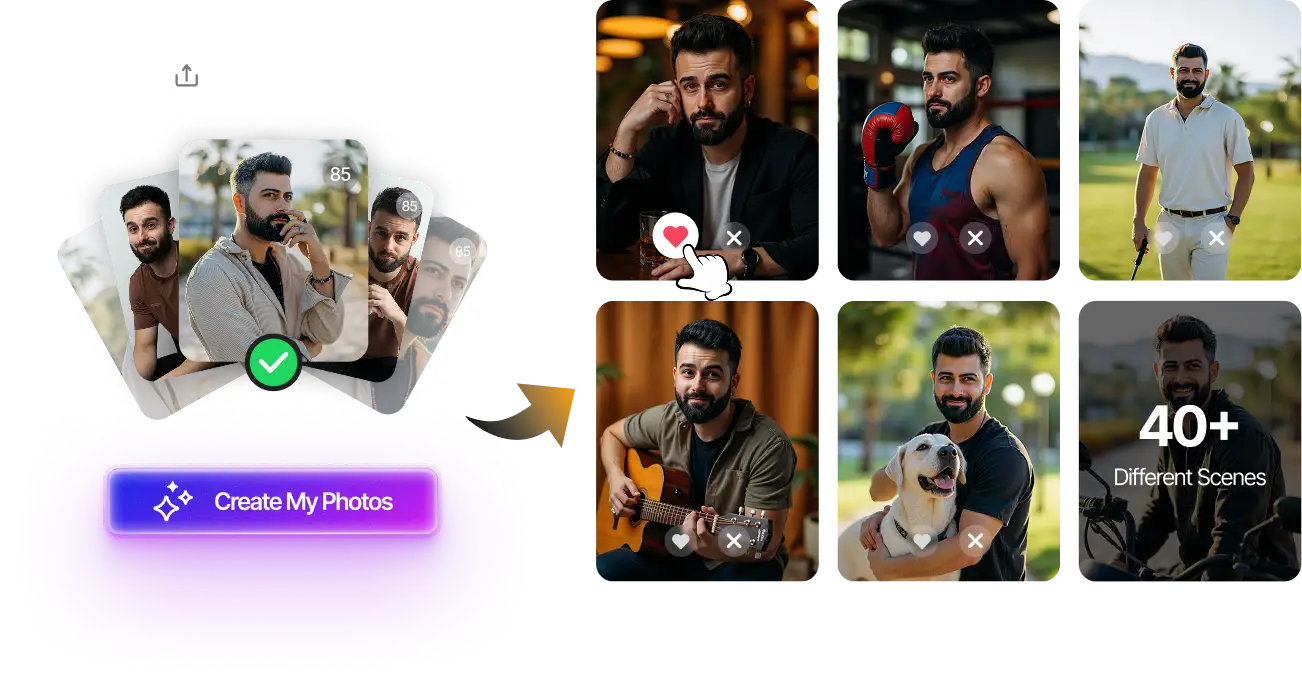
Generate 80-180 professional dating photos that pass Bumble's detection systems. Natural-looking results in 20 minutes.
High Realness Score • Bumble-optimized • One-time payment
Create Safe Photos Now →Understanding Your Flag Type
Bumble uses three flag severity levels, each requiring different appeal approaches:
Warning Flag (Yellow)
Your profile stays active but certain features are restricted. You'll see a notification about specific policy violations. This is your chance to fix issues before things escalate.
Temporary Suspension (Orange)
Account access is blocked for 24-72 hours while Bumble reviews the flag. You can still submit appeals during this period.
Permanent Ban (Red)
Complete account termination. Appeals are possible but require strong evidence of error. Success rate drops to 45% for permanent bans versus 72% for suspensions.
Check your email for Bumble's notification—it will specify the flag type and violation category. If you received a ban related to photo authenticity, our complete Bumble AI photo guide explains exactly what the platform looks for and how to stay compliant.
How to Appeal: Step-by-Step Process
Step 1: Gather Evidence (Day 1)
Before contacting Bumble, collect documentation:
- Screenshot of the flag notification
- Original photos used in your profile
- Timestamps showing when photos were taken
- Any relevant correspondence with matches
- Photo metadata (if disputing AI photo claims)
Step 2: Access Bumble Support (Day 1-2)
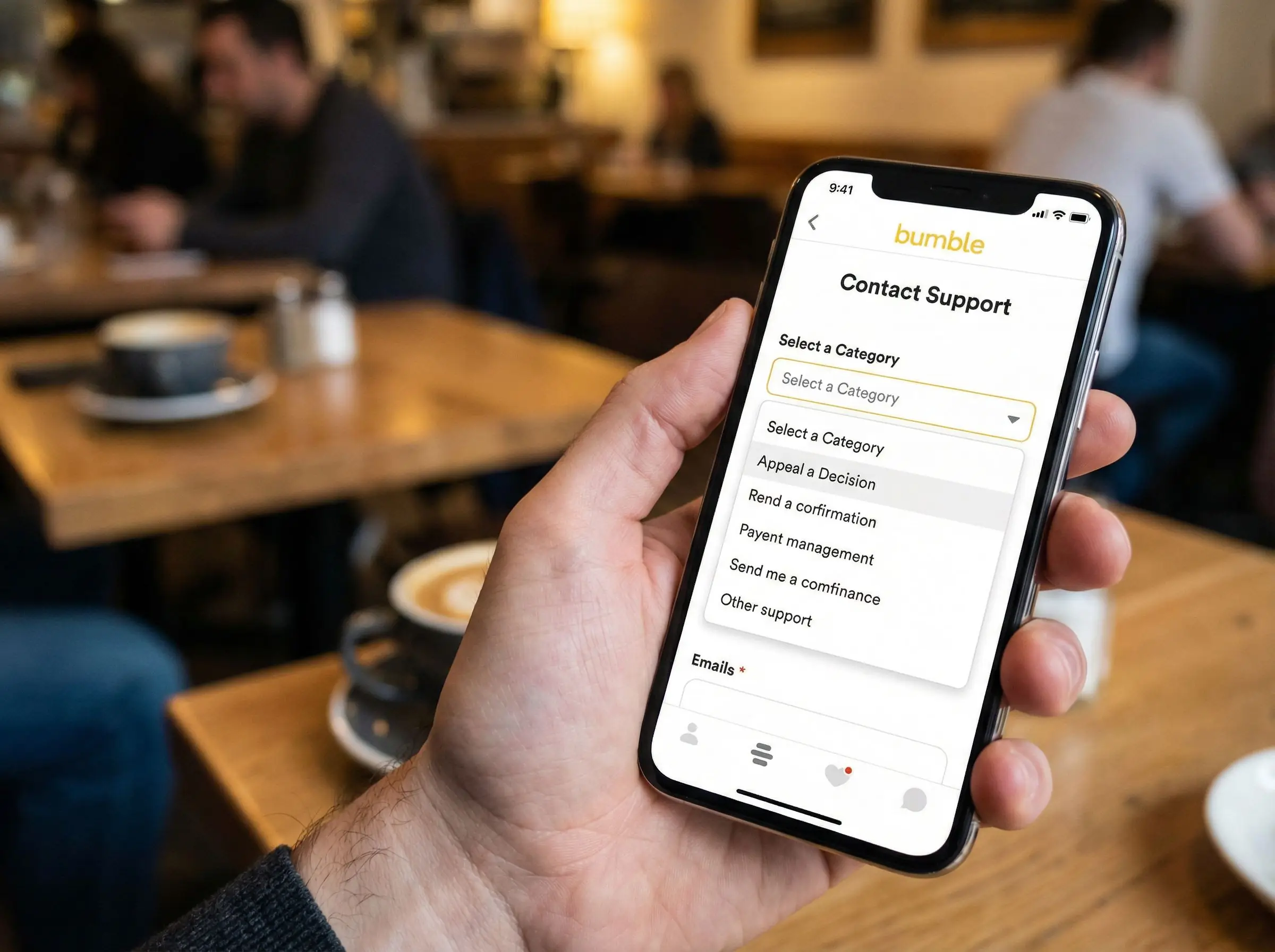
Navigate to: Bumble App → Settings → Contact & FAQ → Submit a Request. Select "Account Status" as the category and "Appeal a Decision" as the sub-category.
Step 3: Write Your Appeal (Day 2)
Your appeal should be clear, respectful, and evidence-based. Use this proven template:
Subject: Appeal for Profile Flag - [Your Account Email]
Dear Bumble Support Team,
I recently received a [warning/suspension/ban] notification on [date] for [stated reason]. I believe this decision was made in error for the following reasons:
[Clearly explain why the flag is incorrect, referencing specific Bumble policies]
Evidence supporting my appeal:
- [List each piece of evidence with brief explanation]
I have been a member of the Bumble community since [date] and am committed to maintaining a respectful, authentic profile. I request a manual review of my account and reinstatement if the flag is determined to be erroneous.
Thank you for your time and consideration.
Step 4: Submit Supporting Documents (Day 2-3)
Attach all gathered evidence as separate files. Keep file sizes under 5MB each. Name files clearly (e.g., "original-profile-photo-1.jpg", "notification-screenshot.png").
Step 5: Follow Up Professionally (Day 7-10)
If you haven't received a response within 7 days, send a polite follow-up referencing your original ticket number. Bumble typically responds within 3-10 business days.
Prevent Future Flags with Verified Photos
Use our free Realness Score Analyzer to check your photos before uploading to Bumble. Catch potential issues instantly.
Free analysis • Instant results • No signup required
Analyze Your Photos Free →Maximizing Your Appeal Success Rate
What Works (72% Success Rate)
- Concrete evidence: Original photo files with metadata, timestamps from camera rolls
- Specific policy references: Quote exact Bumble guidelines you believe were misapplied
- Professional tone: Respectful language increases review quality
- Clear explanations: Address the specific violation mentioned, not general complaints
What Doesn't Work (18% Success Rate)
- Emotional appeals without evidence
- Demanding immediate action or threatening legal action
- Submitting multiple appeals at once (appears spammy)
- Blaming other users or matches
- Creating new accounts while appeal is pending (automatic denial)
For AI Photo Disputes
If your flag relates to suspected AI photos and your images are actually real, provide:
- RAW photo files from your camera or phone
- Location data (EXIF data showing where photos were taken)
- Multiple photos from the same session showing consistent lighting and background
- Professional photographer receipt (if applicable)
If you did use AI-enhanced photos, honesty works best. Acknowledge the enhancement, explain it was for minor touch-ups (if true), and commit to using only unedited photos going forward. For future photos, explore our Bumble-specific AI photo strategies that maintain authenticity while enhancing your profile.
What Happens After You Appeal
Review Timeline
- Initial response: 3-10 business days
- Complete review: 7-21 business days
- Complex cases: Up to 30 days
Possible Outcomes
Full Reinstatement: Your account is restored with all features and matches intact. This happens in 72% of successful appeals.
Partial Reinstatement: Account restored but with certain restrictions (e.g., must update profile photos, limited swipes). You'll receive specific instructions on what needs changing.
Appeal Denied: Decision stands. You'll receive an explanation. You can submit one additional appeal with new evidence within 30 days.
No Response: If 21 days pass without response, send a follow-up email referencing your ticket number. Check spam folders for missed communications.
Preventing Future Flags
Once reinstated, take proactive steps to avoid repeat flags:
Photo Best Practices
- Use recent photos (within 6 months) that accurately represent your current appearance
- Include a mix of settings: close-ups, full-body, and activity shots
- Ensure faces are clearly visible in at least 3 photos
- Avoid heavy filters or editing that alters your appearance significantly
- Run photos through our Realness Score Analyzer before uploading
Profile Content Guidelines
- Write a genuine bio that reflects your personality without promotional content
- Avoid mentioning other social media platforms or external contact methods
- Don't include photos of other people without context (Bumble's AI may flag multiple faces)
- Keep prompts appropriate and conversation-focused
Interaction Standards
- Don't copy-paste identical messages to multiple matches
- Report genuine violations, but don't abuse the report feature
- Respond respectfully even to unmatches or rejections
- Avoid aggressive or pushy conversation tactics
Final Thoughts
Getting your Bumble profile flagged doesn't have to end your online dating journey. With quick action, solid evidence, and professional communication, 72% of appeals succeed in getting accounts reinstated.
The key is understanding why the flag happened and addressing the specific concern in your appeal. Whether it's an AI photo detection error, inappropriate content misunderstanding, or false report, having clear documentation and a respectful tone makes all the difference.
Going forward, prevention is your best strategy. Use our AI Dating Photo Generator to create Bumble-optimized photos with high Realness Scores, or run your existing photos through the free Realness Score Analyzer before uploading. These tools help you stay compliant while presenting your best self.
Start Fresh with Bumble-Safe Photos
Create 80-180 professional dating photos designed to pass Bumble's detection systems. Natural-looking, authentic results that get matches.
High Realness Score • Platform-optimized • One-time payment
Get Started Now →FAQ
Why did Bumble flag my profile?
Bumble may flag profiles after user reports, automated review, verification issues, suspicious photos, policy violations, or signals that a profile may be fake or misleading.
How do I appeal a Bumble profile flag?
Use Bumble support or the in-app appeal flow if available. Keep the appeal concise: identify your account, explain what happened, acknowledge any possible mistake, and provide useful context instead of sending repeated tickets.
Can AI photos trigger a Bumble review?
They can if they look misleading, inconsistent, copied, or obviously synthetic. AI-assisted Bumble photos should preserve your current face and body type and should be mixed into a believable profile lineup.
Should I create a new Bumble account after being flagged?
No. Creating a duplicate account can make the situation worse. Resolve the existing review or appeal first, then update your photos and profile only after you understand the issue.
How can I prevent future Bumble photo flags?
Use clear, current, realistic photos; avoid heavy filters and fake-looking AI edits; keep your identity consistent across the profile; and test images before uploading.