5 Signs Your AI Dating Photos Look Fake (and How to Fix Them)
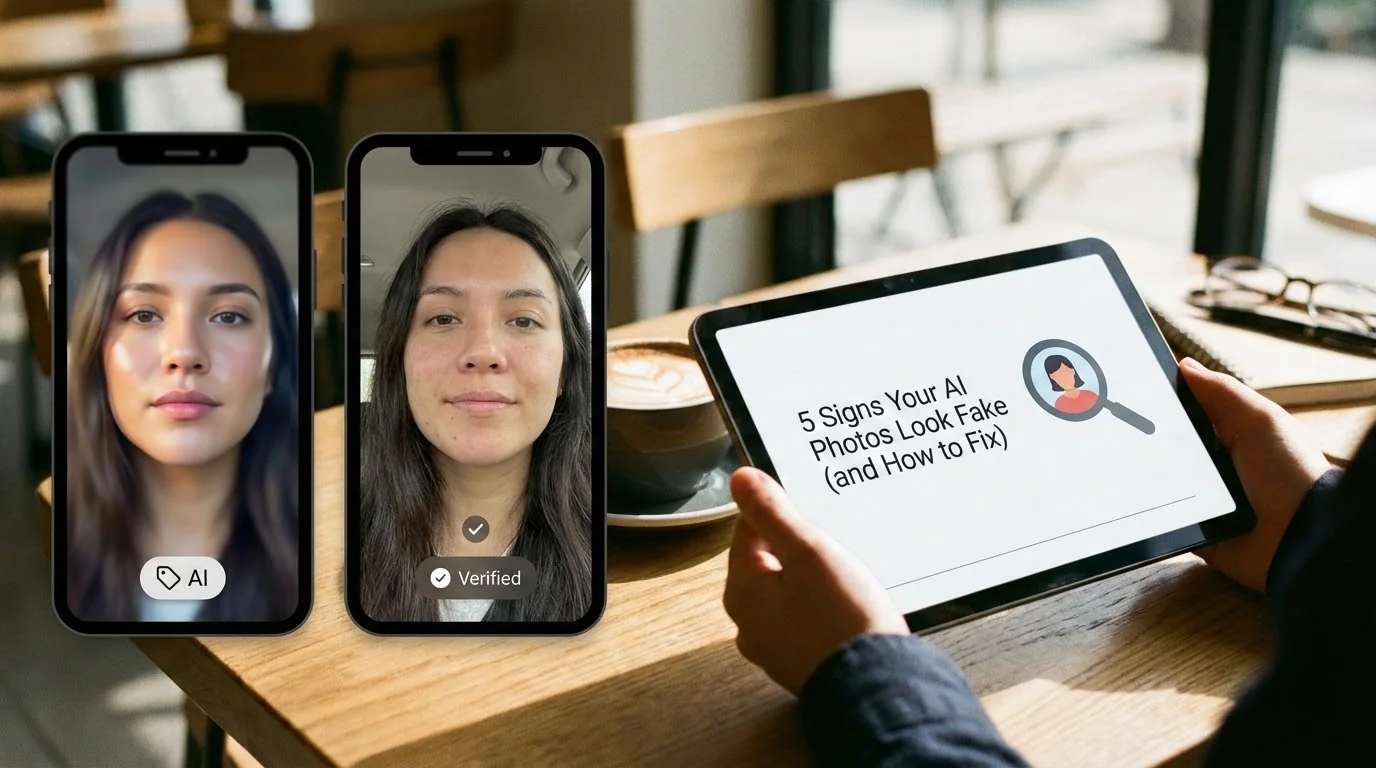
AI dating photos can be polished without looking like a different person. When a photo feels synthetic, the issue is usually not one tiny defect—it is a combination of lighting, details, setting, and expression that does not add up.
This guide is a practical visual review for AI dating photos. It is not a guide to bypassing app moderation. Dating apps expect people to represent themselves accurately: Bumble explicitly prohibits artificially generated or enhanced photos used to deceive others, and Hinge prohibits AI-generated content used to mislead others. Read the relevant Bumble guidance and Hinge guidance before you post.
Key takeaways
- Look for a photo that is recognizably you, not a more polished fictional version of you.
- Review the whole frame: light, hands, background, skin, expression, and clothing should tell one believable story.
- Use a simple scene and a natural pose when you are unsure about an image.
- Do not treat a visual check as a promise that any platform will accept a photo.
What “fake-looking” means on a dating profile
A photo can be technically sharp and still feel wrong. People notice when the face, clothes, setting, and body language seem to come from different moments. On a dating profile, that disconnect matters because the image is meant to introduce a real person, not merely show off a polished portrait.
Start with one question: could a friend who knows you recognize both your appearance and your life in this image? If the answer is no, choose a different result. For a broader quality baseline, use the Realness Score guide for AI dating photos; this article focuses on the visual clues you can review before uploading.
Sign 1: The lighting does not match the setting
Lighting is often the fastest way an image feels artificial. Watch for a brightly lit face in a dark room, shadows that point in conflicting directions, or a warm sunset background paired with cool studio light on the skin. A viewer may not name the problem, but they can still feel that the picture does not make physical sense.
What to do: choose an image with one obvious light source, such as a window, an overcast sky, or a simple indoor lamp. Compare the light on your face with the light on your clothes and the nearby background. If you cannot explain where the light comes from, skip the photo.
Sign 2: Hands, accessories, or clothing details break the scene
Hands, rings, glasses, buttons, text on clothing, and background objects are easy to miss at thumbnail size. Open the image at full size and check whether fingers connect naturally, glasses sit on the face correctly, and clothing seams and accessories make sense.
What to do: favor a clean pose with fewer complicated details. A relaxed standing or seated photo is usually easier to assess than a crowded action shot. If a detail pulls attention away from you, it is not a good profile photo.
Sign 3: The background feels generic or physically impossible
A background should support the story of the photo, not compete with it. Blurred faces, warped furniture, repeating objects, inconsistent reflections, and a setting with no connection to your clothes or pose can make an otherwise good portrait feel manufactured.
What to do: choose scenes you could plausibly be in: a café, a park, a city walk, a hobby space, or a home setting with clear context. For scene selection rather than image diagnosis, see the AI photo backgrounds guide for dating apps.
Sign 4: Skin and facial features are over-smoothed
Natural skin has texture, variation, and small asymmetries. A face can look less believable when every pore disappears, teeth are unusually uniform, or the eyes, jawline, and hairline look different from photo to photo.
What to do: compare the result with recent photos of yourself. Keep details that make you recognizable, including your normal hairstyle, facial hair, glasses, freckles, or skin texture. If an image makes you look like a stranger on a very good day, it sets the wrong expectation.
Sign 5: The expression or pose does not feel like you
A convincing photo does not need a perfect smile. It needs an expression you could naturally make. A fixed stare, overly posed posture, or body language that clashes with the setting can make viewers pause even when the image has no obvious technical artifact.
What to do: choose candid-feeling images with a relaxed posture. Keep a mix of close-up and wider shots, but make sure the expression and styling still feel consistent across the profile.
A five-minute review before you upload
| Check | Ask yourself | Action if the answer is no |
|---|---|---|
| Recognition | Would a friend immediately know this is me? | Choose a result closer to your real appearance. |
| Lighting | Does one light source explain the face and scene? | Pick a simpler image with consistent light. |
| Details | Do hands, glasses, clothes, and objects look normal at full size? | Discard the image rather than trying to hide the problem. |
| Context | Could this activity and setting honestly fit my life? | Use a scene that reflects a real interest or routine. |
| Profile fit | Does it match the rest of my photos and bio? | Replace the outlier or revise the profile story. |
Review your photo before you post
Use the Realness Score Analyzer as an extra visual review. It can help you spot issues worth checking, but it does not predict a platform’s moderation decision.
Free review tool • No signup required • Privacy-first
Analyze Your Photos Free →When not to use an AI photo
Do not use a result that changes your identity, suggests an experience you did not have, or creates a profile story you cannot stand behind. A better dating profile is not a more elaborate fiction; it is a clear, appealing representation of the person someone will meet.
If you want to understand the policy and trust side of this decision, read what dating apps flag in AI photos and check each app’s current community guidelines directly.
FAQ
Can dating apps detect fake-looking AI photos?
Apps do not publish every moderation signal, so no checklist can predict an outcome. Their public rules do emphasize accurate representation and prohibit AI-generated content used to mislead others. Use photos that clearly represent you and follow the rules of the app you use.
What makes an AI dating photo look fake?
Common visual problems include lighting that does not match the setting, distorted hands or accessories, an implausible background, over-smoothed skin, and an expression that does not match the rest of the photo. Review the image at full size before adding it to a profile.
Should I use an AI dating photo if it changes my appearance?
Do not use a photo that presents you as a different person or invents a life you cannot honestly stand behind. A useful photo should still be recognizably you, fit your real appearance and interests, and avoid misleading other people.
Does a photo-quality check guarantee that an app will accept a photo?
No. A photo-quality check can help you spot visual problems, but it cannot predict moderation decisions or replace a platform’s community guidelines. Review both the image and the profile context before posting.
Create dating photos that still feel like you
Start from your real selfies, choose scenes that fit your life, and build a profile with photos you can confidently stand behind.
One-time payment • Privacy-first workflow • Built for dating profiles
Create Your Photo Set →